hey there.

Ready to stand out in the scroll?

Social Media Strategy for Bold Brands

Authentic content and strategy that helps your brand stand out.

let me introduce myself.

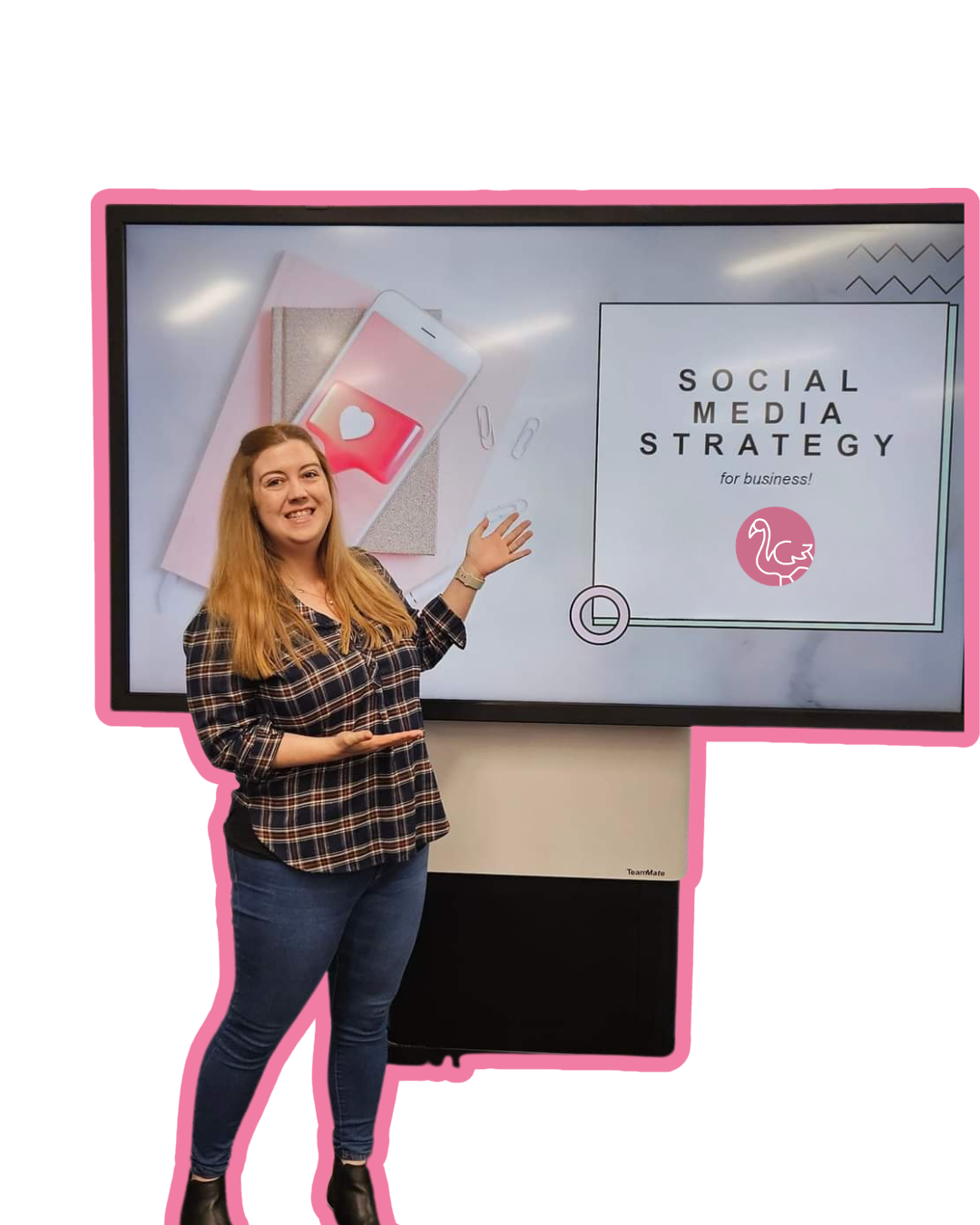
I'm Brianna, your new get-it-done friend

I'm a social media strategist who believes your brand deserves to stand out above the digital noise, not blend in. After years of helping businesses find their voice online, I know that the best results come from strategies that are as unique as you are!

Whether you're feeling stuck, overwhelmed or just ready for a fresh approach, I'm here to help you build a social presence that feels authentic and actually gets results.

more about me

how we can work together

Pick your path to social success

Whether you want hands-on guidance, full support, or collaborative learning, there's a perfect fit for you.

💡

1:1 Strategy Sessions

Personalized coaching to clarify your social media goals and create a roadmap that works for your unique business.

learn more

Strategic Consulting

Get expert eyes on your brand with tailored advice, audits and actionable strategies to boost your social presence.

learn more
👥

Group Workshops

Learn alongside other ambitious business owners in interactive sessions designed to level up your skills.

learn more

Not sure where to start?

Take our 2-minute quiz
"
"

overheard:

Kind words from happy clients

"Brianna helped me clarify my message and together we developed a social media strategy that felt genuine to me. It's like having a supportive friend in your corner throughout your social media journey!"
👩‍💼

Jenny M

Small Business Owner

"Brianna was able to help me to understand the power of social media marketing, and her advice and support demystified the whole process and helped me to “crack the code” of using social media for my company. Since working with Digital Flamingo, I have almost tripled my lead generation in a few months."
👨‍💻

Mark B

HR

"Both our Instagram and FB pages have gone from strength to strength. Many of our followers and clients have commented on how great our social media looks. Brianna is honest, reliable and easy to talk to. Thank you, Brianna."
👩‍⚕️

Brenda M

Aesthetic Nurse

mark your calendars

Upcoming Workshops & Events

Learn, connect and level up your social game in these hands-on sessions.

from the blog

Fresh ideas for your feed

Tips, strategies and honest advice to help you show up with confidence.

🌐
Strategy

Zero-Click Strategy: Is It Time to Ditch the Link on Social Media?

A zero-click strategy means creating content that gives your audience the full value right in the post – no link required. And with Meta now limiting how many links you can post each month, it's worth asking whether that's the smarter way to show up anyway.You write the caption, drop the link, hit post. It goes up like normal…except the link sits there greyed out, not clickable. Meta's decided you've used up your two free link posts for the month. What triggered this: Meta's new link limitIf you run a business Page on Facebook, you may have already hit this wall: non-verified professional accounts are now capped at two link posts a month, both in the post itself AND in comments, unless you pay for Meta Verified or Meta One for Business. Depending on the tier, that's $14.99 to $500 a month. Yikes.I've been building zero-click content with my clients for a while now, long before this. There'd been talk for years that platforms didn't really want you sending people away, but that was sometimes more rumour than proof. However, Meta's own numbers back it up. What does Meta's own data say?Meta's Widely Viewed Content Report shows that 98.9% of US Facebook post views in Q2 2026 had zero external links, and only around 1% of everything people saw involved a click away from the app at all (and that was typically if they already follow the page).So this isn't Meta breaking something that worked. It's Meta confirming, with its own data, something a lot of us had already started building around. Is a zero-click strategy really new?Not really, and it's not universal either. A couple of platforms have clearly been pulling away from links for years. Others haven't.Facebook: You've already seen the numbers above. This has been trending down for years; the fee is just Meta catching up to what its own feed was already doing.LinkedIn: An independent 2026 study of 1.3 million posts found a link in the post body cuts median reach by 18.8%. The bigger culprit is the preview card specifically (a 48% drop on its own), with a plain URL in the reportedly performing a bit better. LinkedIn's own product team says there's no deliberate penalty, but the pattern's held across multiple studies for years.Instagram: It's never allowed a clickable link in an organic feed caption, but that's not a crackdown, it's just how the platform has always worked, with links in Stories once only available to those with 10,000+ followers but now available to all users. However, as of March 2026, it started testing clickable caption links, but only for Meta Verified subscribers (up to 10 a month). Same story as Facebook that the "restriction" is becoming a paid feature.Pinterest and YouTube: This is where the "every platform hides links" idea falls apart. Pinterest's entire model is built on sending people off-platform; that's the whole point of a Pin. And YouTube has said outright it doesn't penalize links unless they're spammy.So it's not a universal rule. It's specific platforms leaning this way. Which is exactly why a zero-click strategy is worth building on purpose, not just reacting to whichever platform makes headlines next. How to build a zero-click strategyThe shift is simple: stop treating the link as the goal and start treating the post as the destination.Give the answer, not the teaser. Instead of "link in bio for the full tip," put the tip in the caption.Turn a blog into a carousel. Walk people through the idea inside the post itself.Let comments and saves do the work links used to. A genuine question in your caption earns replies. That's worth more to your reach than a click ever was.This isn't a new pivot for me, either – it’s the same approach I've been using with clients for a while, and it's worked well for them. That's the bit worth remembering: this doesn't have to be about reacting to Meta. It's about what actually gets results for your content, whether or not a platform ever confirms why.You still get two free links a month. Save those for the moments that genuinely need a destination, like a launch, a form, a real landing page – and let everything else stand on its own. FAQs: Zero-Click StrategyWhat does "zero-click" mean on social media?A zero-click strategy means creating social media content – a caption, carousel or video – that gives your audience the full value on the spot, whether that's a tip, an answer or an offer. Instead of a link doing the work, the post itself has to be good enough to stand alone. It's especially relevant now that platforms like Meta are actively limiting how many links you can share. Does Meta's link limit affect Instagram too?Not in the same way. Instagram has never allowed clickable links inside a post caption or Reel. What is new though: Meta One's Advanced plan ($49.99/mo) and higher tiers now let you add a small number of clickable links to Instagram posts and Reels each month (4 a month on Advanced, up to 12 on the $499 Max plan). The cheaper Essential plan only adds a link page to your bio. It doesn't touch posts or Reels. So unlike Facebook, where you get 2 free link posts before hitting a paywall, Instagram links in posts have never been free to begin with. Do I need to stop posting links altogether?No. You still get two free link posts a month on Facebook, so use them – just be strategic about which posts get one. Save them for the moments that genuinely need a destination and test the rest. What works will vary by audience and content, so treat this as something to experiment with, not a rule to follow perfectly. Why does Meta limit links at all?Meta's business model relies on keeping people scrolling inside the app, where it can serve ads and collect engagement data. A link is, by definition, an invitation to leave, and Meta's own reporting shows almost nobody was taking it. Limiting links (and charging for more of them) is Meta's way of formalising a preference the algorithm has quietly had for years. What if you sell products – doesn’t that mean you need links?Retail probably does need a link at some point and that's fine, that's what your two free posts are for. What zero-click changes for retail isn't whether you link, it's what the post has to do before the click. Product tags still exist in feed and Reels, but they mostly route people to your own site now rather than checking out in-app. So the job of the caption, the video, the carousel is to do the selling – show the product in use, answer the objection, make the price feel obvious, so that by the time someone does click, they're already sold, not being teased into finding out more. The click becomes the transaction, not the pitch. Ready to build a strategy that doesn't need a link to work?If you're not sure what a zero-click strategy looks like for your specific content, or you want a second pair of eyes on what you're already posting, let's talk it through together. Book a Power Hour and we'll map out exactly how to make your content work harder, without depending on a link to get there! 

read it
👀
Strategy

Your Social Media Matters More Than You Think: The Link Between Social Media and GEO

Your social media isn’t just for social media anymore.We already know that social content can reach people beyond our followers. But there’s another reason to think about what you’re putting out there.More people are using AI tools such as ChatGPT, Claude and Gemini to find information, ideas and recommendations. These tools can search and draw from information across the public web — and that can include social media content.So yes, your social media can play a role in your AI visibility.Not the whole role by any means, but it’s one piece of the puzzle that can amplify your digital presence. What is GEO?GEO stands for Generative Engine Optimisation.In simple terms, it’s about making your business easier for AI-powered search and answer tools to understand and potentially surface when someone is looking for information related to what you do.And this is where I think small businesses have a really good opportunity.Because you already know loads about your business.You know the questions customers ask. You know the problems you solve. You know what works, what doesn't, what you'd recommend and what you wish people knew before they came to you.That's all useful information, and it’s exactly the sort of thing you should already be sharing through your social media. So does social media help with GEO?It can.AI search is pulling information from a much wider range of online sources, rather than relying solely on traditional website pages. Public social content, videos, forums and other online discussions can all contribute to the information available.That doesn't mean every Instagram post will suddenly appear in an AI answer. It doesn't mean social media replaces your website. And it doesn't mean you need to start creating content specifically for robots.The fundamentals are still the fundamentals.Create useful content. Share your expertise. Answer questions. Talk about the things your customers actually want to know.The difference is that we're now thinking about where that information can be discovered. What should you actually do differently?The good news is that you probably don't need a completely new content strategy.Start by looking at the knowledge that's already sitting inside your business.What questions do customers ask you all the time? What do you explain repeatedly? What do people get wrong about your industry? What would you recommend if someone asked you for advice? What do you know from years of actually doing the thing?Those are excellent starting points for content.Then make sure that expertise isn't living in just one place. A useful answer could become a social media post, a Reel, a longer article, an FAQ on your website or a video.You don't need to create more for the sake of creating more. You need to make your useful information easier to discover.And don't forget the basics. Make sure your website clearly explains what you do, who you help and where relevant, where you're based. Keep your business information consistent. Build genuine reviews and recommendations. Create useful, original content that demonstrates your experience.GEO isn't a replacement for SEO, social media marketing or good digital marketing. It's another reason to make sure those things are working together. Your social media is part of the bigger pictureYour website matters.Your reviews matter.Business directories and listings matter.Other websites talking about your business matter...and your social media matters too.Together, they create a much bigger picture of your business online: what you do, who you help, what you're known for and what you know about.That's why I don't see GEO and social media strategy as two completely separate things.They're increasingly connected.And actually, that’s good news because you don't need to throw away everything you've been doing and start again. You just need to start thinking a little bigger about your content.Instead of only asking:“What should I post this week?”Ask:“What do I want people to know about my business?”Then start sharing it.Your expertise. Your experience. Your answers. Your recommendations. Your opinions.Don't keep all the good stuff in your head!Put it out there, because your content isn't only there to fill your social media feed anymore.It’s part of your wider digital presence, and increasingly, that means being part of the information people use to discover businesses through AI search. Want to know what this could look like for your business?I can help you look at your social media strategy, website and wider digital presence through a GEO lens, and work out where there are opportunities to improve your visibility in AI search.You don't need to become an SEO or AI expert. You just need a strategy that connects the dots.If you're ready to think beyond the feed, let's talk.

read it
📅
Planning

Planning Your Social Media Content Calendar

A step-by-step guide to creating a content calendar that keeps you consistent without burning out.__You sit down to post…Open Instagram…Stare at the caption box……and suddenly you’ve forgotten everything you’ve ever done in your business.So you close the app, tell yourself you’ll come back to it later…and a week goes by.Sound familiar?This is exactly where a content calendar helps. Not to make things rigid, but to take away that "what on earth do I post?" feeling and give you a bit of structure that actually works in real life.Here’s how to create one without it becoming another thing you can’t keep up with. Step 1: Start with your actual capacityFirst question: How often can you realistically show up?Not in your most motivated week…your normal one.For most businesses, 2–3 posts a week is more than enough. Consistency will always beat a burst of daily posting followed by silence. Step 2: Pick a few go-to content themesThis is where things get easier.Instead of asking “what should I post?” every time, give yourself a few themes to rotate between.For example:Helpful tips or insightsBehind the scenesRelatable moments or opinionsThe occasional reminder of what you offerYou don’t need loads. Just enough to avoid staring at a blank screen. Step 3: Give your content a jobEvery post should do something.Build trust. Show your expertise. Help people understand what you do.Or gently remind them you exist and can help.When you know the purpose, writing the content becomes much simpler. Step 4: Map out your week (loosely)No complicated system needed. Think something like:Monday - Helpful content that gives the audience some valueWednesday - Behind the scenes to show some personalityFriday - Relatable or promotionalSimple, repeatable and far less guesswork! Step 5: Plan ahead - but keep it flexiblePlanning ahead helps. Overplanning makes it feel like a chore.Aim for 2–4 weeks in advance, with room to adjust, because ideas change and evolve. Life happens. Your content should be able to move with that. Step 6: Keep a running list of ideasYou’re not short on content...you’re just not capturing it!Start noting:Questions you’re askedThings that come up on callsEveryday moments in your businessCommon misconceptionsThis is where your best content usually comes from. Step 7: Make it easy to stick toYour content calendar should support you, not stress you out.Keep it simple. Batch where you can. Don’t overthink every post. “Done” will always outperform “perfect”. Final thoughtsA content calendar isn’t about being rigid or posting for the sake of it. It’s about knowing what you’re doing, feeling more in control, and making social media feel manageable.Start simple. Keep it realistic. Adjust as you go.And if you’re thinking “this makes sense, but I still wouldn’t know where to start”, that’s exactly what I help with in my strategy sessions and Power Hours.No overwhelm. No fluff. Just a plan you can actually stick to.

read it

it's not free ice cream, but it's close:

Up-to-date trends and advice that actually work

Join my newsletter for social media insights, upcoming workshops & events and the occasional pep talk - straight to your inbox!

ready when you are

Let's make your brand impossible to scroll past!

Let's chat about where you are, where you want to go and how I can help you get there.

Let's chat